

CapWords
CapWords Italian Review
Apr 4, 2026 · 18 features · 10 languages · iOS
- CapWords scores 7.8/10; strongest area: User experience, weakest area: Course quality.
- Best suited for: Visual learners wanting to build Italian vocabulary from real-life objects.
- Main upside: Visual learning with real-world context; main tradeoff: Limited free scans available.
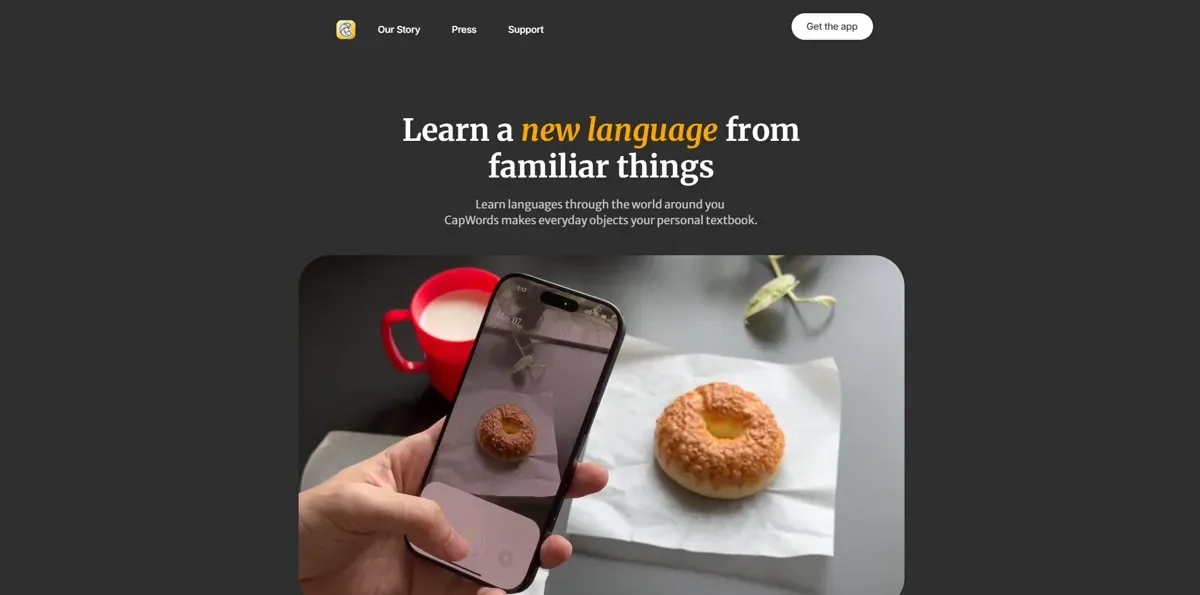
Score
Course quality
65/100User experience
85/100Pricing
70/100
- Fun and engaging way to learn Very easy to use Beautiful and clean design Limited free usage frustrating Great for beginners
Pros
- Visual learning with real-world context
- Very intuitive and clean interface
- Fast object recognition and translation
- Engaging flashcard system
- Fun, low-pressure learning experience
Cons
- Limited free scans available
- No structured learning path
- Weak grammar support
- Occasional recognition inaccuracies
- Limited speaking practice
At a glance
- Made by
- HappyPlan Tech
- Concept
- Learn Italian by scanning real-world objects with your camera.
- Platforms
- iOS
- Levels
- (A1) Beginner, (A2) Elementary
- Languages taught
- Italian, English, Spanish, French, German, Portuguese, Chinese, Japanese, Korean, Russian
- Best suited for
- Visual learners wanting to build Italian vocabulary from real-life objects.
Pricing
- Monthly
- 6.99US$
- Yearly
- 29.99$
Free trial: Available; Credit card needed; 7 days
Refunds: Available; 14 days
Feature checks
Spaced repetition
70/100Customization
65/100Focus on learning
80/100Personalization
75/100Sentence accuracy
80/100Sentence relevance
75/100Variety and depth
60/100Audio quality
85/100Speaker's quality
60/100Speaking practice
50/100Ease of use
95/100Interface and design
95/100Performance
90/100User-generated courses
Grammar notes
Learning path
Speech recognition
Offline access
Conclusion
Use it daily to scan real objects and review flashcards consistently, combining it with a structured course to improve grammar and speaking skills.
Alternatives
SpeakTwice is the only app that gets your to speak Italian all the time. It comes with hundreds of grammar lessons and readings to listen and repeat, plus an AI tutor to review the courses and practice conversation. See the full review.
FAQ
What is CapWords used for?
Does CapWords teach grammar?
Is CapWords free?
Can I use it offline?
Is CapWords good for beginners?
Compare CapWords with other Italian learning apps
See the published side-by-side comparisons that include CapWords for Italian learners, or browse the full comparison hub.
Walkthrough
Intro
If you’re learning Italian and you’re curious about more visual, real-world ways to build vocabulary, today I want to talk about an app called CapWords.
CapWords is a mobile app that focuses on learning vocabulary by using your camera. Instead of searching for words or studying lists, I literally point my phone at objects around me, take a photo, and the app turns that object into a word I can learn in Italian.
How CapWords Works
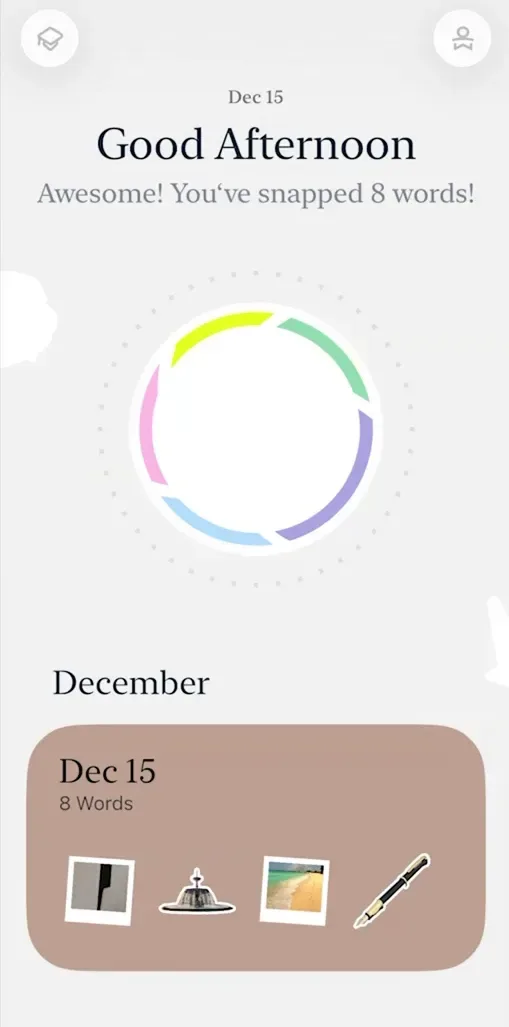
When I open CapWords, the main thing I see is the camera. I can scan pretty much anything around me — objects, food, plants, everyday items — and the app recognizes what I’m looking at.
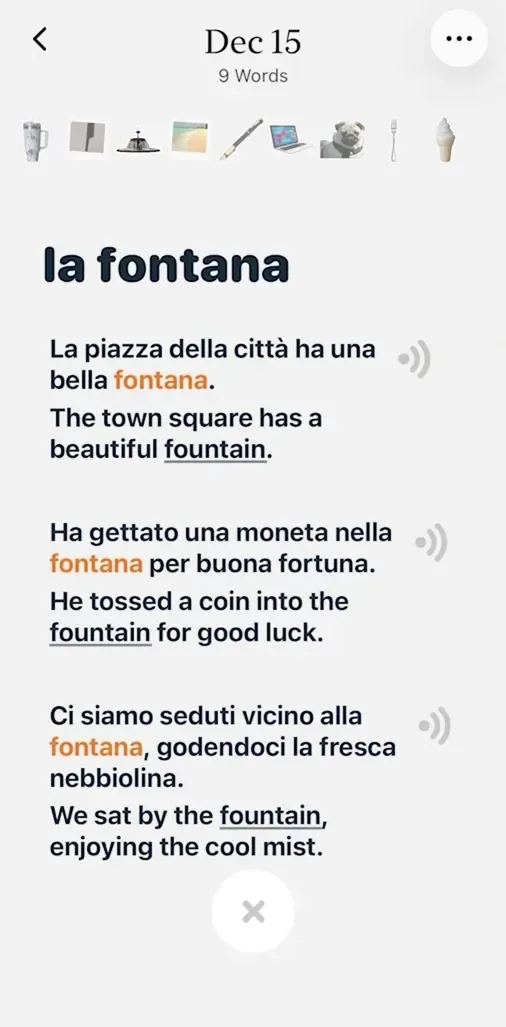
Once I take a photo, CapWords shows me:
-
The word in Italian
-
The pronunciation
-
And example sentences so I can see how the word is actually used
That image then becomes a visual flashcard, which gets saved to my personal word collection. Everything I scan during the same day is grouped together, so over time I end up with a kind of visual diary of the Italian words I’ve learned from real life.
Learning Experience
What I personally like is that learning feels very contextual. I’m not memorizing random vocabulary — I’m learning words connected to things I actually see and touch.
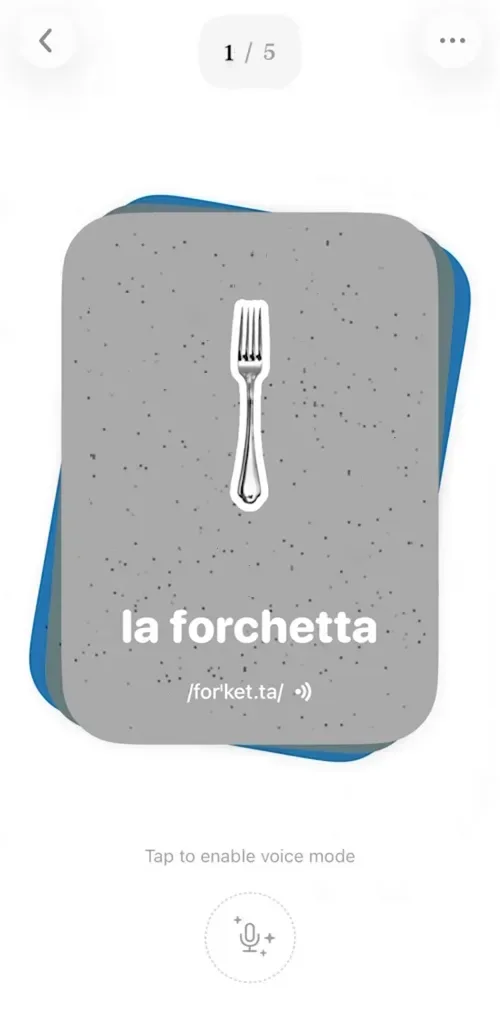
When I review a word later, I see the image on one side and the Italian word on the other. I usually say the word out loud, listen to the pronunciation, and connect it back to the image. It’s very visual and sensory, which makes it easier to remember.
I also noticed that the app encourages a slower, pressure-free pace. There are no levels, no streaks, and no timers pushing me to rush. I can turn reminders on or off, and I just review when it feels natural.

Design & Usability
CapWords is very easy to use. I didn’t need a tutorial — everything feels intuitive. The interface is clean, minimal, and honestly very pleasant to look at.
It’s clear why this app won an Apple Design Award. The experience feels polished, calm, and intentional. Even reviewing flashcards doesn’t feel like studying — it feels more like browsing something I created myself.
Progress is shown in a simple visual way, without heavy charts or complicated stats. I always know roughly how I’m doing without feeling overwhelmed.
Accuracy & Real-Life Use
In my experience, object recognition works well for everyday items. When I tested it with more specific things, like plants, it was surprisingly accurate most of the time.
That said, it’s still AI-based, so occasionally an object might be labeled in a more general way than expected. It’s not perfect, but for vocabulary building, it does the job well.
Subscription & Limits
One thing worth mentioning is that CapWords does have usage limits on the free version. After a certain number of scans, you’ll need to upgrade if you want to keep using the camera freely and review without restrictions.
I won’t go into pricing here, but it’s something to keep in mind if you plan to use it daily.
Who This App Is For
From what I’ve seen, CapWords works best if:
-
You’re a visual learner
-
You want to build Italian vocabulary naturally
-
You like learning from real-life context rather than lessons or grammar explanations
It’s more about word discovery and memory than structured language courses.
Final Thoughts
Overall, CapWords offers a very different way to approach learning Italian vocabulary. It turns everyday moments into learning opportunities and keeps things simple, visual, and low-pressure.