

LinDuo
LinDuo Italian Review
18 features · 10 languages · Web, iOS, Android
- LinDuo scores 7.2/10; strongest area: User experience, weakest area: Course quality.
- Best suited for: Beginners and visual learners building Italian vocabulary for casual daily study, travel, and offline practice.
- Main upside: Large vocabulary database; main tradeoff: Very limited grammar.
Score
Pricing
80/100Offers good value for learners focused on vocabulary building and offline study.
Course quality
68/100Strong vocabulary training with effective repetition, but limited depth beyond individual words.
User experience
90/100Simple, polished, and beginner-friendly interface with short lessons and easy navigation.
- Easy to use
- Great vocabulary practice
- Helpful pronunciation audio
- Good offline access
- Lacks grammar instruction
Pros
- Large vocabulary database
- Native-speaker audio
- Effective review system
- Offline learning available
- Easy for beginners
Cons
- Very limited grammar
- Minimal speaking practice
- Few real conversations
- Mostly isolated vocabulary
- Limited advanced content
At a glance
- Made by
- LinDuo Team
- Concept
- Learn Italian vocabulary through images, audio, quizzes, and spelling exercises.
- Platforms
- Web, iOS, Android
- Levels
- (A1) Beginner, (A2) Elementary, (B1) Intermediate, (B2) Upper-intermediate, (C1) Advanced
- Languages taught
- Chinese, English, French, German, Italian, Japanese, Korean, Portuguese, Russian, Spanish
- Best suited for
- Beginners learning Italian vocabulary, Visual learners, Casual daily learners, Travelers, Offline learners
Pricing
Free trial: Not available
Refunds: Not available
Feature checks
Spaced repetition
85/100Customization
65/100Focus on learning
85/100Personalization
45/100Sentence accuracy
70/100Sentence relevance
65/100Variety and depth
60/100Audio quality
90/100Speaker's quality
90/100Speaking practice
20/100Ease of use
95/100Interface and design
90/100Performance
90/100Learning path
Offline access
Grammar notes
Speech recognition
User-generated courses
Conclusion
Use it daily for vocabulary acquisition, complete the review activities regularly, and combine it with grammar and conversation practice elsewhere.
Alternatives
LinDuo is great for vocabulary practice, but platforms focused on immersion and structured learning may provide a more complete path to speaking Italian.
FAQ
Is LinDuo good for beginners?
Does LinDuo teach grammar?
Can I use LinDuo offline?
Does LinDuo help with speaking?
Is LinDuo a complete Italian course?
Compare LinDuo with other Italian learning apps
See the published side-by-side comparisons that include LinDuo for Italian learners, or browse the full comparison hub.
Walkthrough
Intro
If you're looking for a LinDuo review to see whether it's a good app for learning Italian, this one is for you. I spent some time exploring LinDuo, and here's what the experience is like and whether it's worth trying.
What LinDuo Is
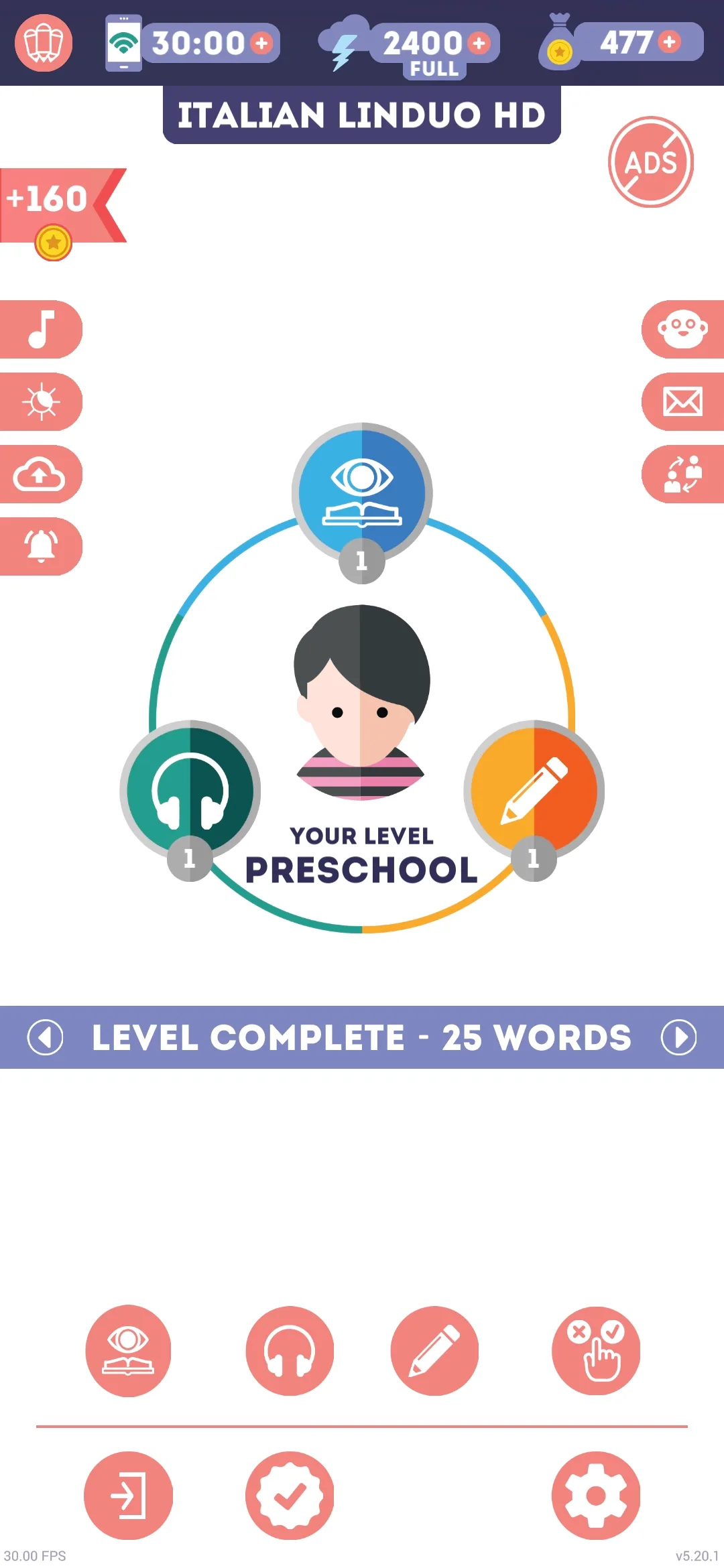
LinDuo is a vocabulary-learning app that teaches Italian through images, audio, quizzes, and spelling exercises. The app contains hundreds of short lessons organized by topic, so I can study categories like food, animals, colors, numbers, and many other everyday themes.
The goal is simple: learn useful words quickly and review them often so they stick. One thing I noticed immediately is how easy it is to start. There isn't a long placement test or complicated setup, I can just open the app, choose a lesson, and start learning.
Main Features
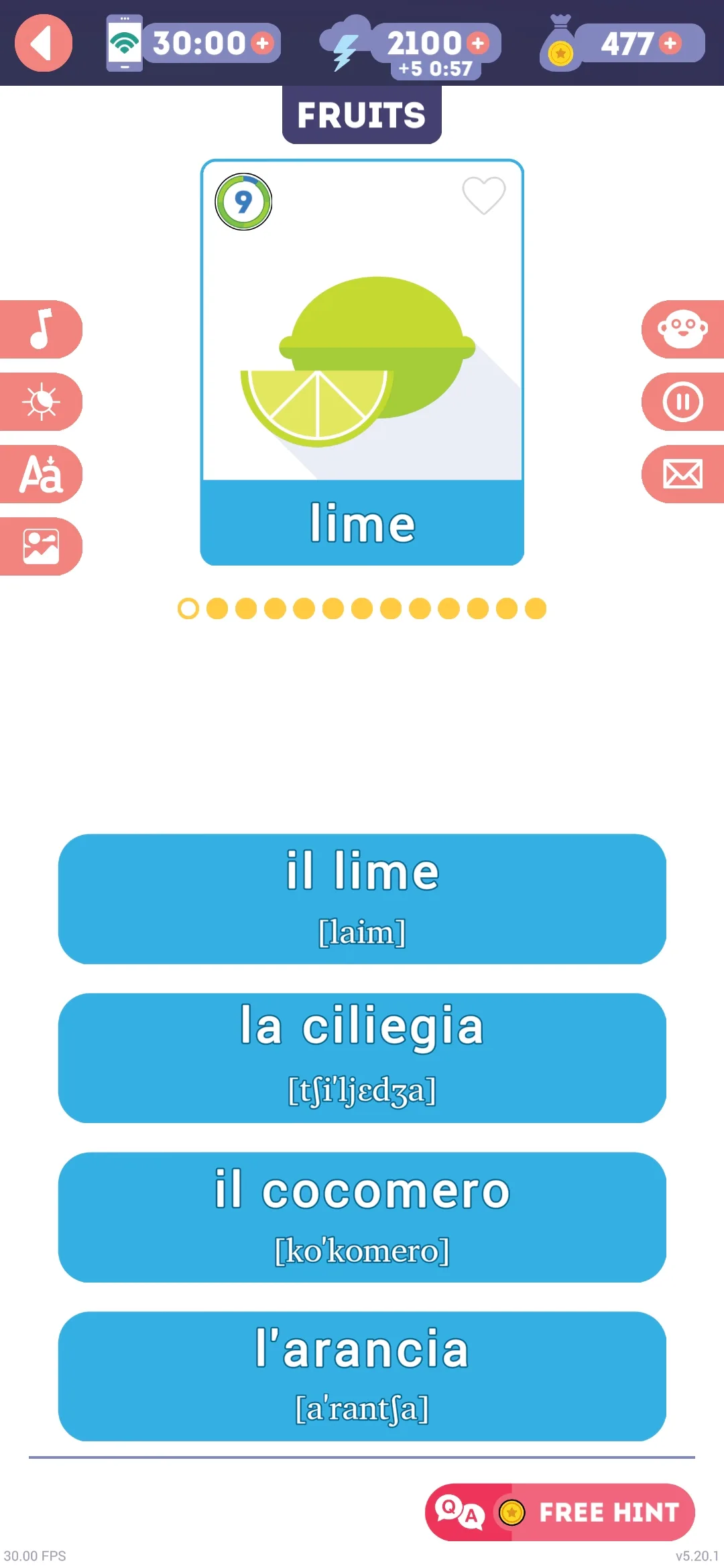
The learning process is built around three different modes. The first is Learning Mode. This is where I memorize new words: an illustration appears on the screen, I hear the pronunciation, and I choose the correct answer from several options. It's simple, but it works well if you're a visual learner, because you're connecting images, sounds, and meanings at the same time.
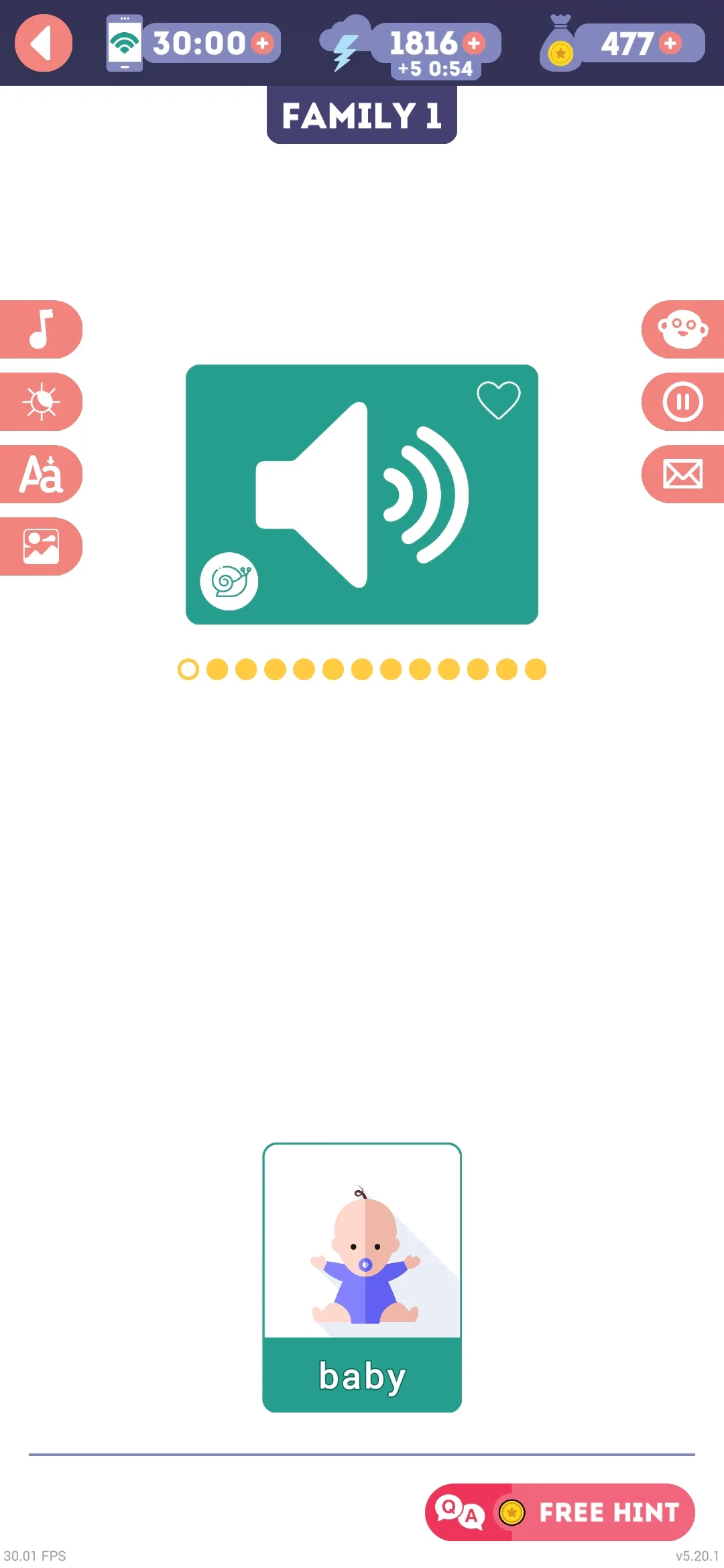
Then there's Listening Mode. In this mode, I hear an Italian word and have to select the matching image or translation. I like that there's a button to slow down the pronunciation, which can be helpful if I'm not used to hearing Italian yet.
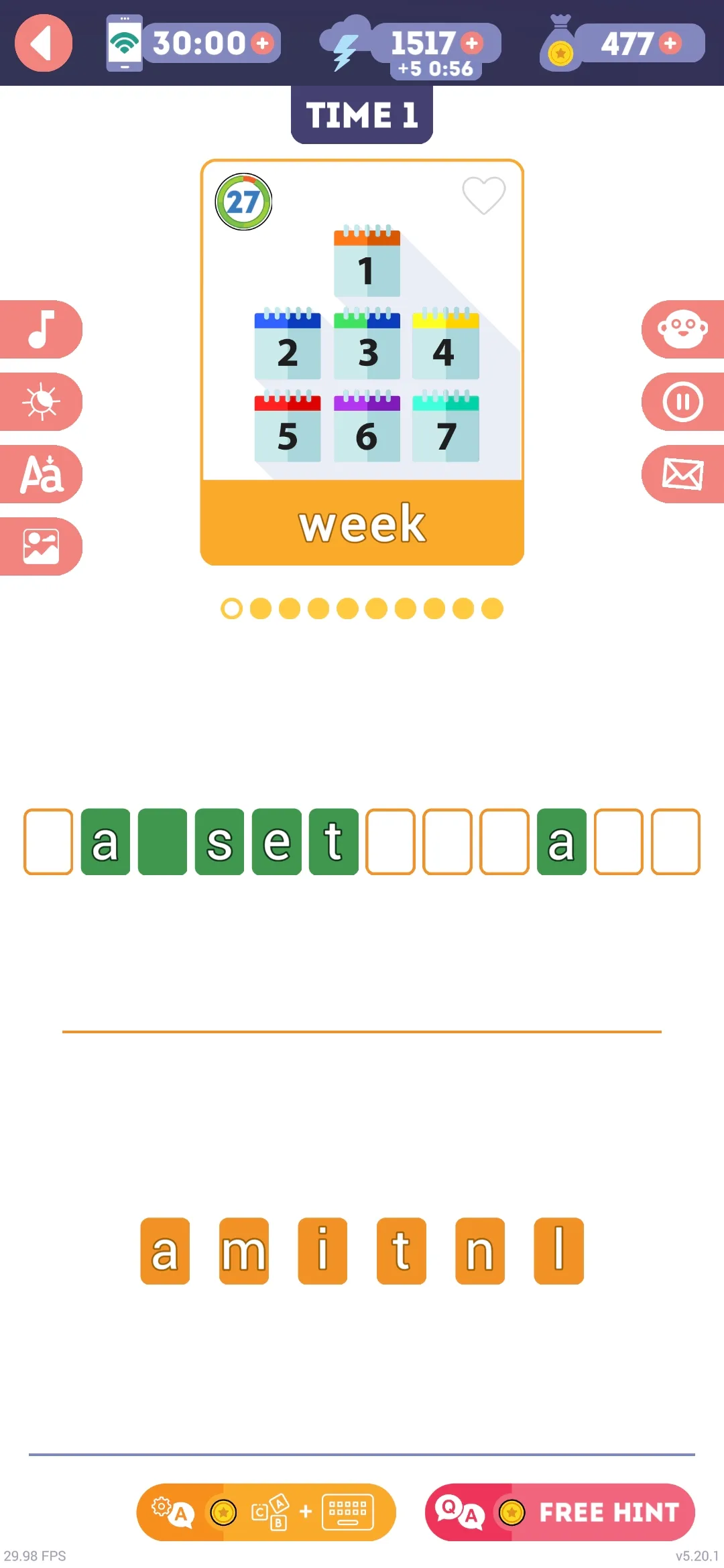
Finally, there's Writing Mode. This is the most challenging part of the app, because instead of recognizing words, I have to spell or build the word myself based on the illustration. I appreciate that LinDuo includes this mode, since active recall usually helps vocabulary stick better than simply choosing answers from a list.
Lesson Structure and Reviews
The lessons are organized into levels. Each level has four lessons followed by an exam, and I need to pass that exam before moving on to the next level. The app also uses energy and coins as part of its progression system, which adds a bit of gamification.
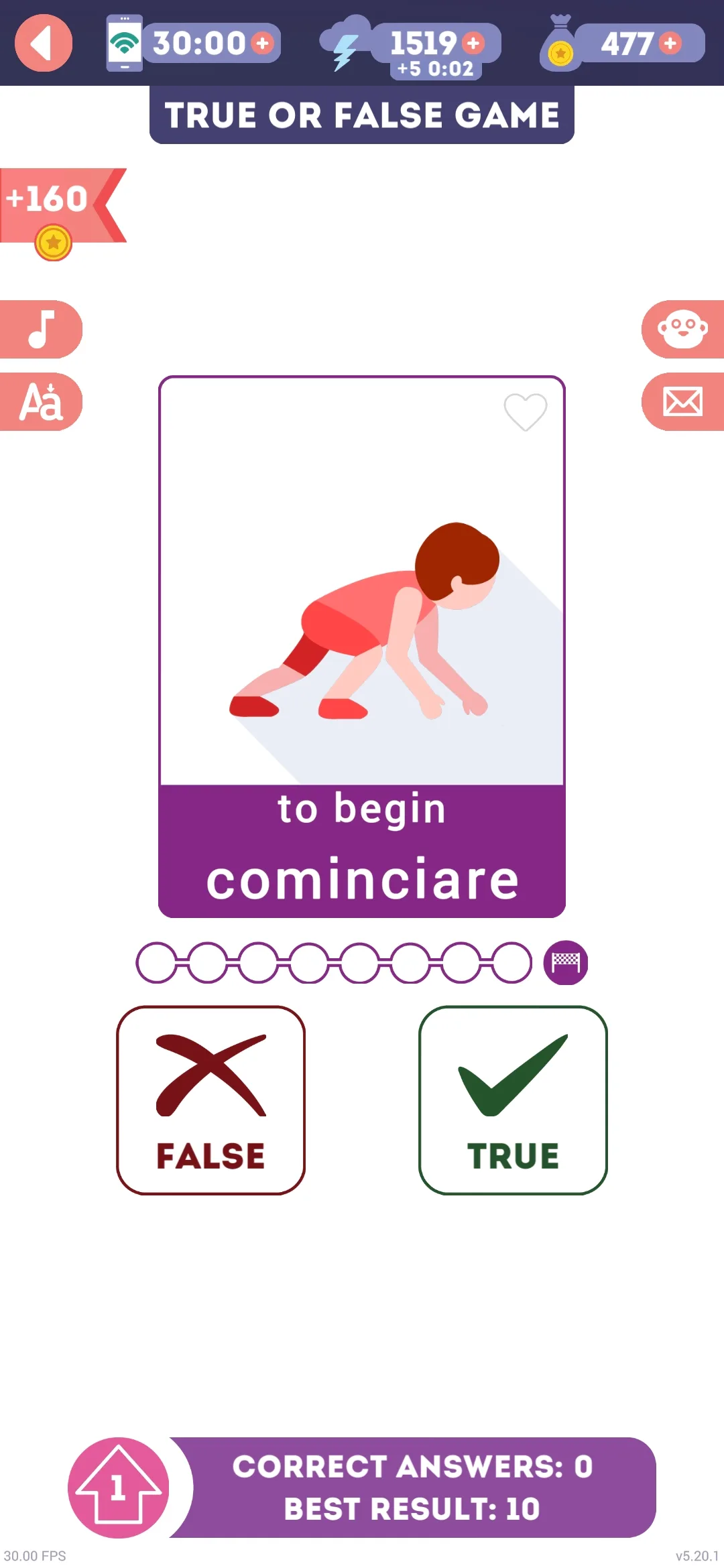
Besides the three learning modes, there's a "True or False Game" too. It shows you a word and an image, and you decide whether they match. You need to get eight correct answers to reach the next level, and when you finish a level you're rewarded with energy, the higher the level, the bigger the reward. So even though the lessons are short, there are several ways to revisit words and reinforce what I've learned.
User Experience
Overall, LinDuo is very easy to use. The interface is clean, colorful, and focused almost entirely on vocabulary. Lessons are short enough that I can complete one in a minute or two, so it's easy to squeeze in a quick practice session during the day.
Another nice feature is that the app works offline, which means I don't need an internet connection once the content is downloaded. I also like that the pronunciation is recorded by native speakers and that there are both male and female voice options. All of these details make the experience feel polished and beginner-friendly.
Useful Aspects
The biggest strength of LinDuo is probably its simplicity. If my goal is to build vocabulary, especially as a beginner, the app gives me lots of words, short lessons, and plenty of review opportunities.
The visual approach is also effective. Seeing images together with the words and hearing native pronunciation makes memorization easier and keeps the lessons engaging. And because the sessions are so short, it's easy to stay consistent without feeling overwhelmed.
Possible Limitations
At the same time, LinDuo does have some limitations. The biggest one is that it's mostly a vocabulary app. I don't get much grammar explanation, and there isn't a strong focus on conversations, dialogues, or speaking practice. Most of the learning happens through individual words rather than complete sentences or real-life situations.
So if I'm looking for a complete Italian course with grammar lessons, conversation exercises, and a more structured path toward fluency, LinDuo may not be enough on its own. I see it more as a vocabulary-building tool than a complete language-learning system.
Final Thoughts
Overall, I think LinDuo does a good job at what it promises. It's easy to use, visually appealing, and gives beginners a straightforward way to learn and review Italian vocabulary. Its strongest features are the short lessons, multiple practice modes, and offline access.
But if your goal is to develop broader Italian skills like grammar, speaking, and understanding how the language works in real conversations, you may want to compare it with other options as well.