

NativePal
Avis sur NativePal pour apprendre l'italien
25 avr. 2026 · 18 features · 9 languages · iOS, iOS
- NativePal obtient 6.8/10; point le plus fort: Expérience utilisateur, point le plus faible: Tarification.
- Idéal pour: Apprenants possédant des connaissances de base en italien et recherchant la pratique de l'expression orale et la confiance.
- Principal avantage: Forte concentration sur la pratique orale; principale limite: Pas de parcours d'apprentissage structuré.
Score
Qualité des cours
65/100Expérience utilisateur
75/100Tarification
60/100
- Bon pour la pratique orale Facile à utiliser et à démarrer Manque de leçons structurées L’IA semble parfois répétitive Fonctionnalités gratuites limitées
Avantages
- Forte concentration sur la pratique orale
- Corrections et commentaires en temps réel
- Démarrage facile des conversations
- Scénarios pratiques de la vie réelle
- Environnement d'apprentissage à faible pression
Inconvénients
- Pas de parcours d'apprentissage structuré
- Pas idéal pour les débutants
- Les conversations avec l’IA peuvent se répéter
- Explications de grammaire limitées
- Faible crédibilité publique
En un coup d'œil
- Fabriqué par
- NativePal
- Concept
- IA pour pratiquer des conversations en italien avec un retour en temps réel.
- Plateformes
- iOS, iOS
- Niveaux
- (A1) Débutant, (A2) Élémentaire, (B1) Intermédiaire, (B2) Intermédiaire supérieur
- Langues enseignées
- Italien, Espagnol, Français, Allemand, Portugais, Japonais, Coréen, Chinois, Arabe
- Idéal pour
- Apprenants possédant des connaissances de base en italien et recherchant la pratique de l'expression orale et la confiance.
Tarifs
- Mensuel
- 10.00US$
- Annuel
- 60.00$
Essai gratuit: Disponible ; carte de crédit requise ; 3 jours
Remboursements: Disponible ; 14 jours
Vérifications des fonctionnalités
Reconnaissance vocale
Notes de grammaire
Parcours d'apprentissage
Cours générés par les utilisateurs
Accès hors ligne
Répétition espacée
Score : 40/100. L'application propose-t-elle beaucoup de répétitions pour acquérir naturellement le vocabulaire et la grammaire ?
Personnalisation
Score : 55/100. Les utilisateurs peuvent-ils personnaliser les paramètres, l’interface, le contenu, etc. ?
Se concentrer sur l'apprentissage
Score : 70/100. L'interface et le contenu sont-ils axés sur le contenu du cours plutôt que sur le contenu superflu et la gamification ?
Personnalisation
Score : 65/100. Les supports sont-ils automatiquement adaptés au profil de l'utilisateur ?
Précision des phrases
Score : 75/100. Les phrases sont-elles exemptes de fautes de frappe et d’erreurs de grammaire ? Sont-elles naturelles ?
Pertinence des phrases
Score : 80/100. Les phrases sont-elles réalistes et utiles ?
Variété et profondeur
Score : 60/100. Existe-t-il suffisamment de matériels variés en termes de sujets, de formats et de niveaux ?
Qualité audio
Score : 75/100. Les supports audio sont-ils faciles à écouter en termes de qualité d’enregistrement et de débit de parole ?
Qualité des locuteurs
Score : 60/100. Les locuteurs parlent-ils correctement, clairement et naturellement ?
Pratique orale
Score : 90/100. L'application propose-t-elle beaucoup de pratique orale ?
Facilité d'utilisation
Score : 85/100. L’application est-elle facile à configurer, à utiliser et à parcourir ?
Interface et conception
Score : 75/100. L'interface utilisateur est-elle soignée et visuellement attrayante ?
Performances
Score : 80/100. L'application se charge-t-elle rapidement ? Est-elle exempte de problèmes et de plantages ?
Conclusion
Utilisez-le quotidiennement pour de courtes séances orales, en vous concentrant sur des scénarios réels et en appliquant le vocabulaire appris ailleurs pour améliorer la fluidité et la confiance.
Alternatives
SpeakTwice est la seule application qui vous fait parler italien tout le temps. Il comprend des centaines de leçons de grammaire et de lectures à écouter et à répéter, ainsi qu'un tuteur IA pour réviser les cours et pratiquer la conversation. Voir la revue complète.
FAQ
NativePal convient-il aux débutants ?
NativePal enseigne-t-il la grammaire ?
Puis-je pratiquer l'italien oral ?
NativePal est-il gratuit ?
Fonctionne-t-il hors ligne ?
Comparer NativePal avec d'autres apps pour apprendre l'italien
Consultez les comparaisons publiées qui incluent NativePal pour les apprenants d'italien, ou parcourez tout le centre de comparaisons.
Procédure pas à pas
Regardez la vidéo de présentation.
Intro
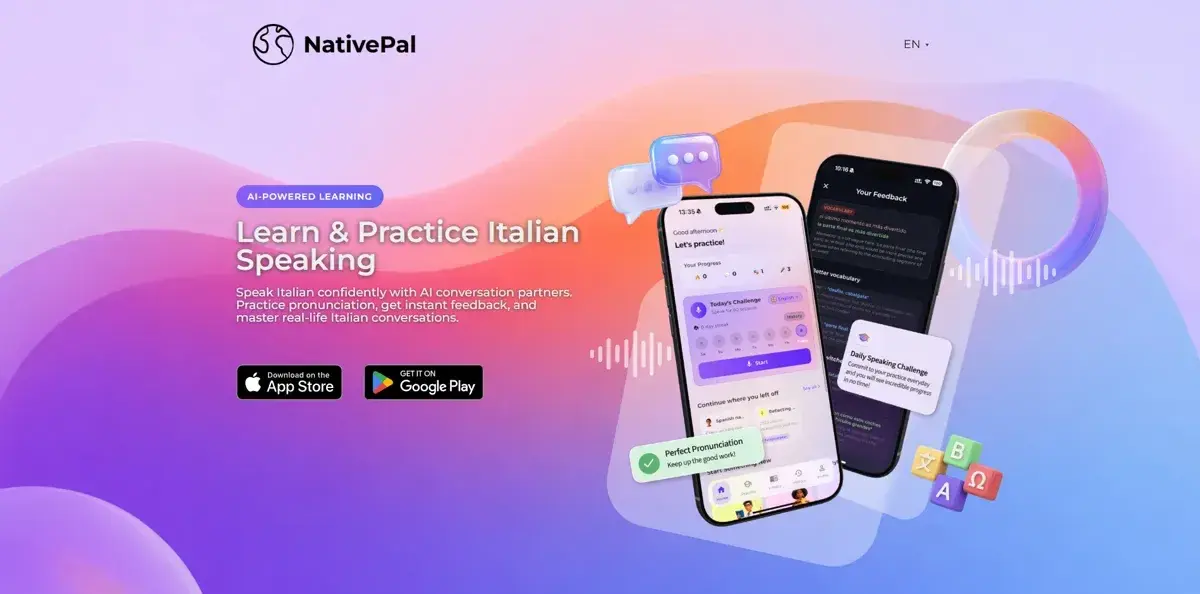
Si vous recherchez une application pour vous entraîner à parler italien avec l’IA, cette vidéo est faite pour vous. Aujourd'hui, je jette un œil à NativePal, une application d'apprentissage des langues basée sur l’IA qui se concentre uniquement sur la pratique de la conversation.
Qu'est-ce que NativePal ?
NativePal est conçu pour vous aider à pratiquer l'italien à travers des conversations IA plutôt que des cours traditionnels. Ainsi, au lieu de passer par des exercices de grammaire structurés ou des listes de vocabulaire, j'ai remarqué que l'application vous pousse immédiatement dans des conversations interactives avec des personnages IA qui simulent des locuteurs natifs.
Comment ça marche
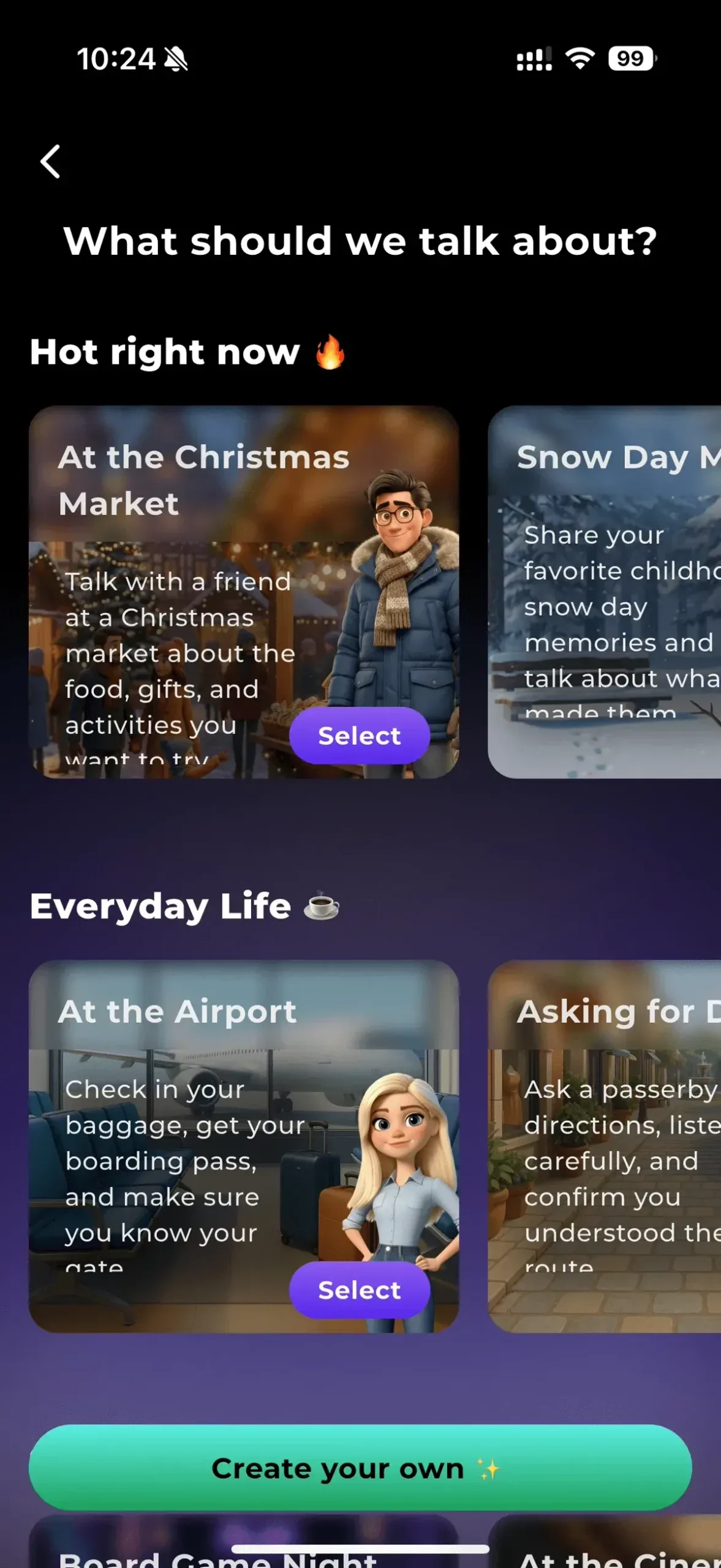
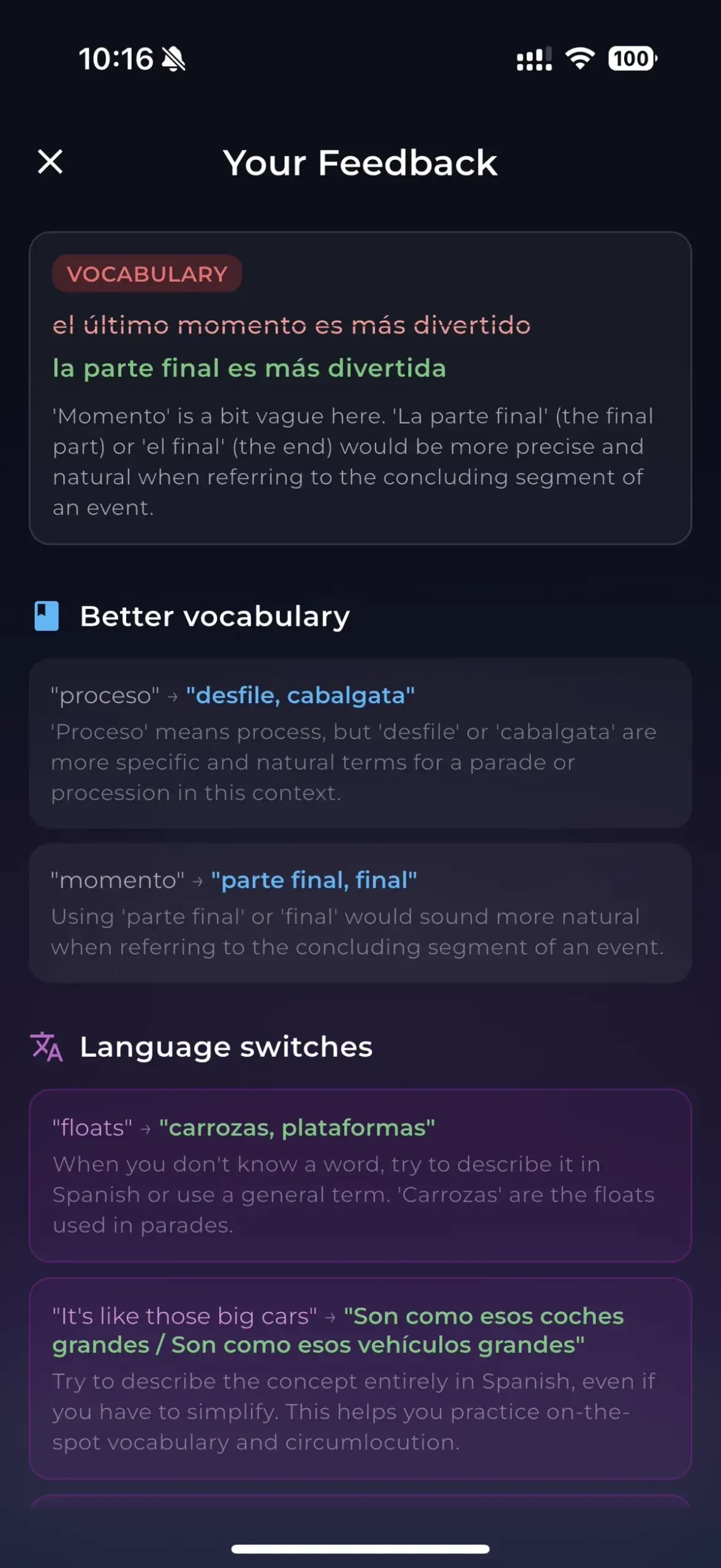
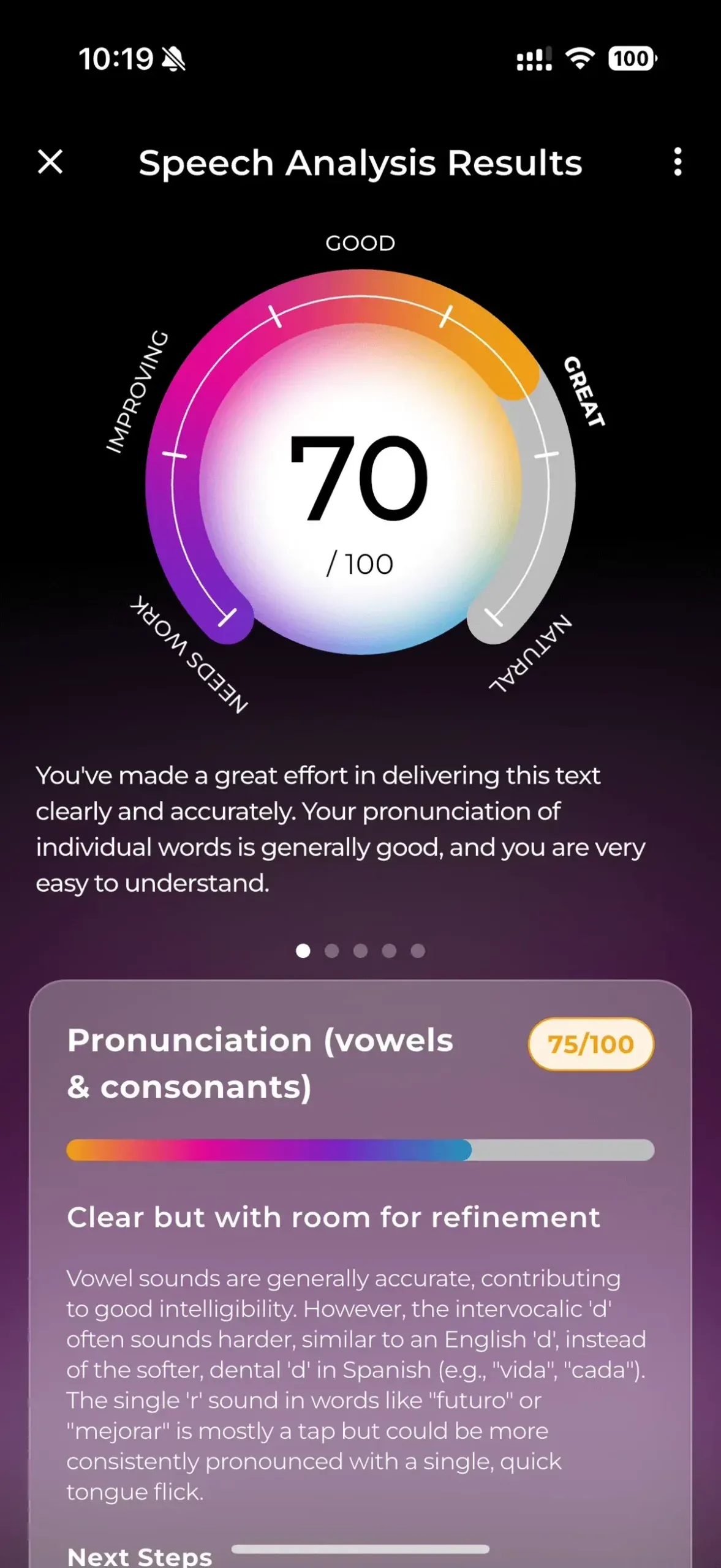
Lorsque j'ouvre l'application, je peux choisir un scénario ou simplement démarrer une conversation gratuite. Par exemple, j'ai essayé une situation simple comme m'enregistrer sur le portail d’embarquement à l’aéroport. Je peux soit taper, soit parler, et l’IA répond presque instantanément. Au fur et à mesure que je poursuis la conversation, je vois apparaître des corrections et des suggestions, m’aidant à ajuster mes phrases en temps réel. Il existe également des défis d'expression orale brève, dans lesquels je parle pendant une minute d'un sujet, puis je reçois des commentaires sur des éléments tels que la grammaire, le vocabulaire et la fluidité.
Ce que j'ai aimé
Ce qui m'a frappé, c'est la rapidité avec laquelle j'ai pu commencer à parler. Il n’y a pas de longue configuration ni d’intégration – je me suis immédiatement lancé dans une conversation en italien. J’ai aussi aimé pouvoir pratiquer sans pression. Puisqu’il s’agit d’IA, je ne me sens pas mal à l’aise de faire des erreurs, ce qui facilite l’expérimentation de nouvelles phrases. Une autre chose que j'ai remarquée est l'accent mis sur des situations réelles, ce qui semble plus pratique que les applications qui reposent fortement sur la répétition ou la mémorisation.
Ce qu'il faut considérer
En même temps, NativePal ressemble plus à un outil de pratique qu'à un système d'apprentissage complet. Je n’ai pas vraiment vu de chemin de progression clair ni de leçons structurées qui vous guident étape par étape. Donc, si vous partez de zéro en italien, cela peut sembler un peu écrasant sans cette base. Aussi, comme tout est basé sur des conversations IA, l'expérience peut parfois paraître un peu répétitive au fil du temps.
À qui s'adresse-t-il
D'après mon expérience, NativePal est plus logique si vous avez déjà des connaissances de base en italien et que vous souhaitez améliorer votre expression orale et votre confiance. On se sent moins concentré sur l’apprentissage des bases que sur l’utilisation réelle de la langue.
Clôture
Dans l'ensemble, NativePal est une option intéressante si votre objectif principal est de vous entraîner à parler italien avec l’IA et d'obtenir un retour rapide.